INFYNNO
INFYNNO
Infinite InnovationsInfinite Innovations
  1. Home
  2. Articles
  3. Laravel Jetstream

Laravel Jetstream

Laravel 8 was released on September 8th along with Laravel Jetstream. Laravel Jetstream is a new application scaffolding for Laravel. Laravel Jetstream replaces the legacy Laravel authentication UI available for previous Laravel versions.

B

Bhavdip

Author · Infynno Solutions

Oct 14, 20201 sections
Laravel

At a glance

CategoryJetstream
Sections1 topics
AuthorBhavdip
PublishedOct 14, 2020
Start reading
Laravel Jetstream

Laravel Jetstream

Introduction

Laravel 8 was released on September 8th along with Laravel Jetstream.

Laravel Jetstream is a new application scaffolding for Laravel. Laravel Jetstream replaces the legacy Laravel authentication UI available for previous Laravel versions.

In this tutorial, I will give you a quick introduction to what exactly Laravel Jetstream is and how to get started with it.


What is Laravel Jetstream

Jetstream gives you a better starting point for your new projects. It includes the following components:

  • Login and registration functionality
  • Email verification
  • Two-factor authentication
  • Session management
  • API support via Laravel Sanctum


Laravel Jetstream replaces the legacy Laravel authentication UI available for previous Laravel versions.

Jetstream uses Tailwind CSS, and you can choose between Livewire or Inertia.

Laravel Jetstream is free and opensource.

Installing Laravel Jetstream

You can choose between a couple of ways of installing Laravel Jetstream. You could either use composer or the Laravel installer.

Installing Jetstream with Laravel installer

If you already have the latest version of the Laravel installer, you just need to use the –jet flag in order to install a new Laravel Jetstream project:

project_name.png

After that, as usual, make sure to run your migrations:

migrate.png

Installing Jetstream with Composer

If you prefer using composer, you need to run the following command inside your Laravel directory just like you would with any other package:

require-aravel-jetstream.png

“Note: you need to have Larave 8 installed. Otherwise, the above command will fail.”

After that, you would need to run artisan jetstream:install and specify the stack that you want to use:

If want to use Livewire with Blade run:

jetstream-livewire.png

And if you want to use Inertia with Vue run:

jetstream-inertia.png

You may also add the –teams flag to enable Laravel Jetstream team support.

After that, execute:

npm-install-&&-npm-run-dev.png

The command above will build your assets.

Finally, make sure to run your migrations:

migrate (1).png

Authentication

Your new Jetstream application comes out of the box with:

  • Login form
  • Two-factor authentication
  • Registration form
  • Password reset
  • Email verification

You can find those views at:

view-path.png

The backend logic is powered by Laravel Fortify.

You can find the Fortify actions at the following directory:

Actions-Fortify.png

And you can find the Fortify configuration at:

config-fortify.png

In the fortify.php config file, you can make some changes like enable and disable different features like:
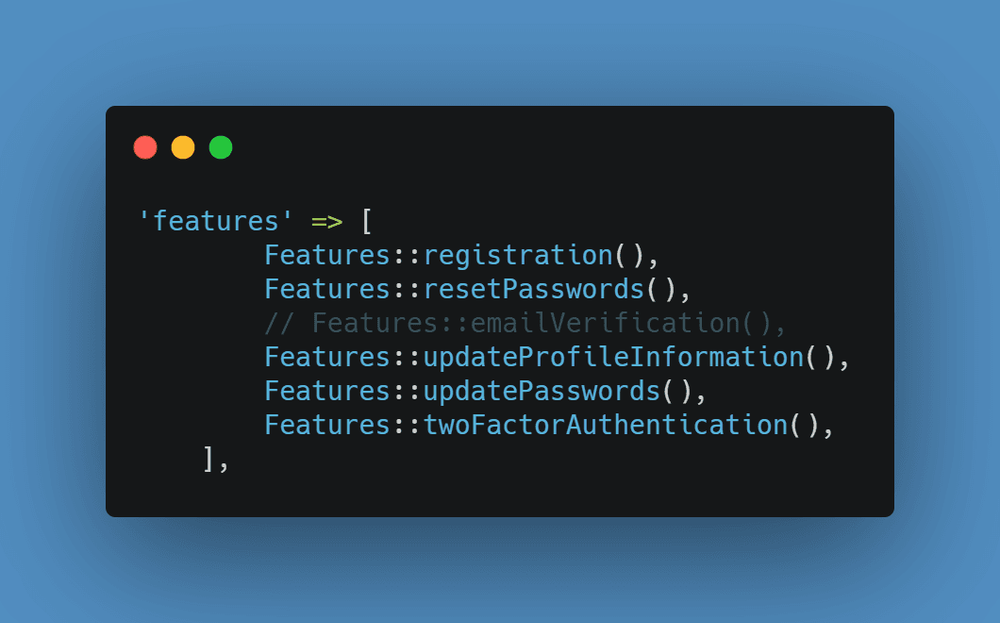
fortify.png

Profile management

Right out of the box, Jetstream provides you and your users with user profile management functionality which allows users to update their name, email address, and their profile photo.

The user profile view is stored at:
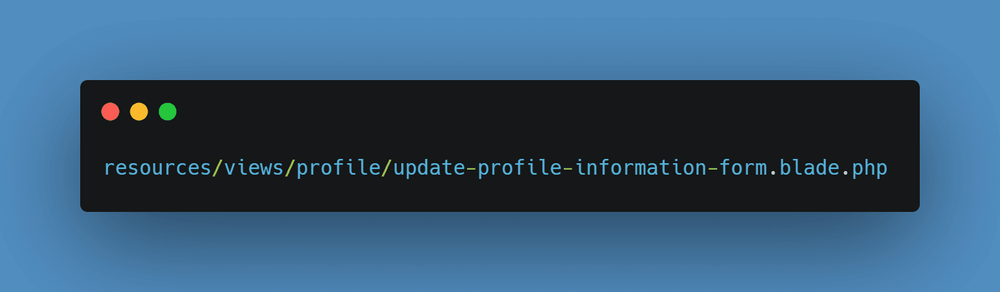
update-profile-information-form.png

And in case you are using Inertia, the view can be found at:
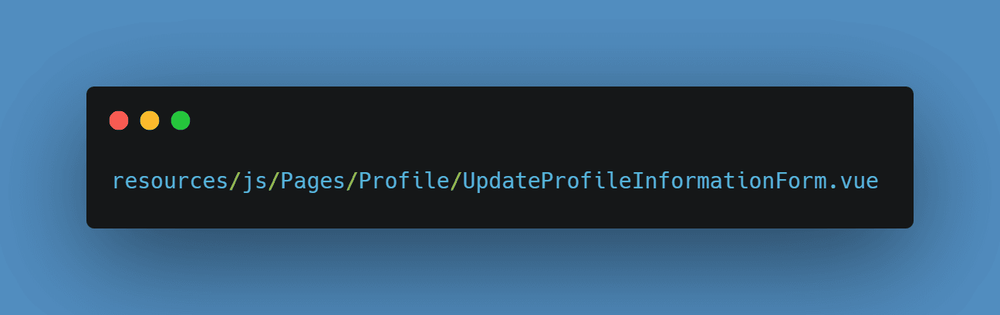
UpdateProfileInformationForm-vue.png

The following file handles the user update logic:

UpdateProfileInformationForm.png

In case that you want to, you could also disable the user profile picture via your Jetstream config file at:
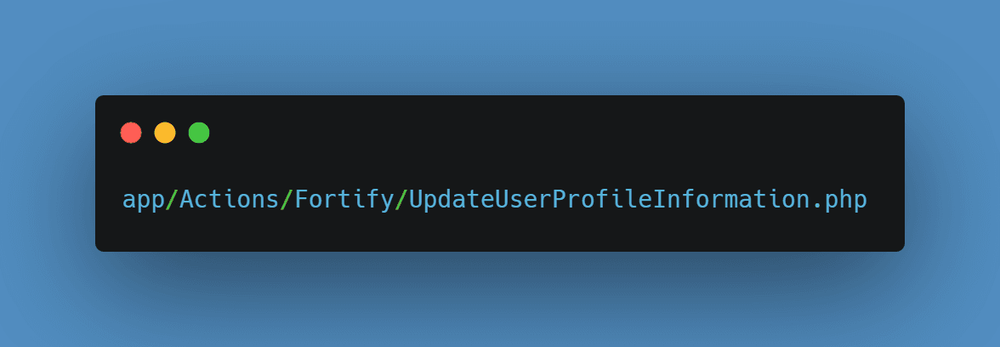
jetstream-config.png

Just comment out the Features::profilePhotos() line:

Features-profilePhotos.png

Jetstream Security

Laravel Jetstream comes with the standard functionality that allows users to update their password and log out:
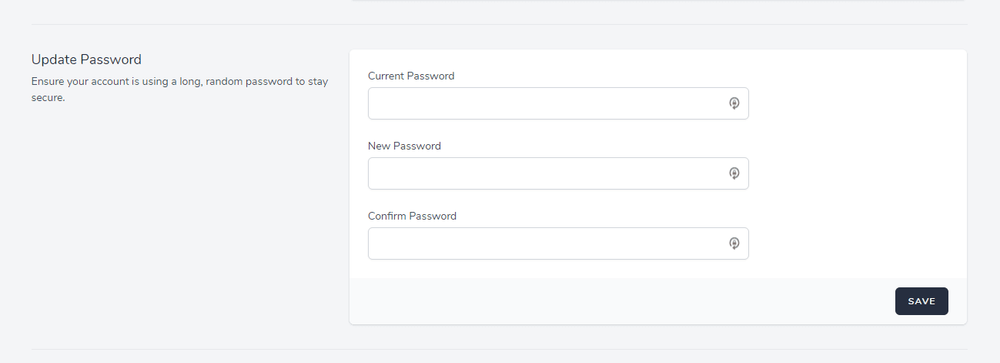
password-and-logout.png

However, what’s more, impressive is that Jetstream also offers two-factor authentication with QR code, which the users could enable and disable directly:
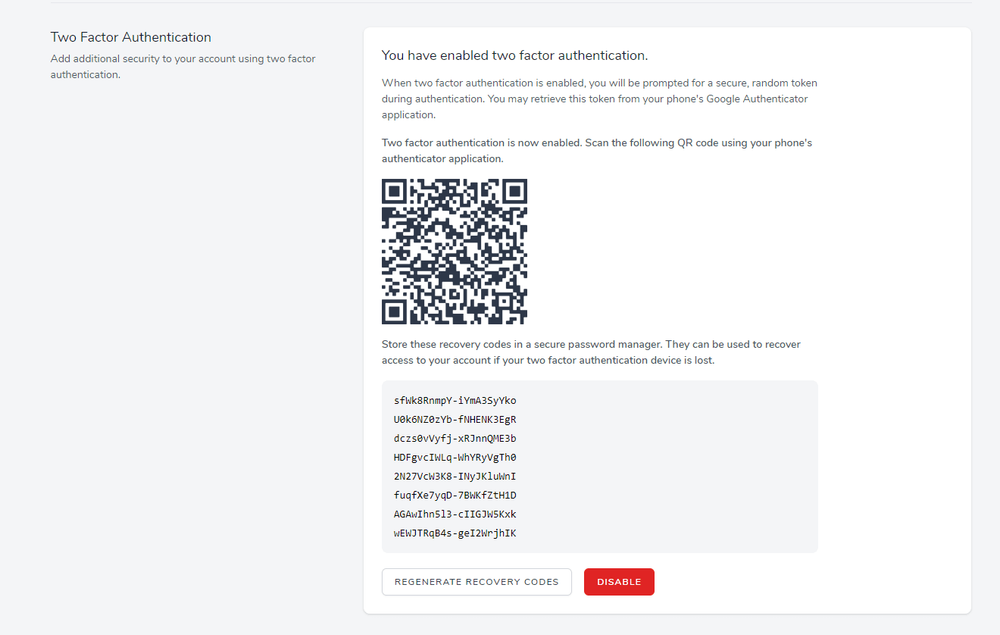
QR-Code.png

Another brilliant security feature is that users can logout other browser sessions as well.
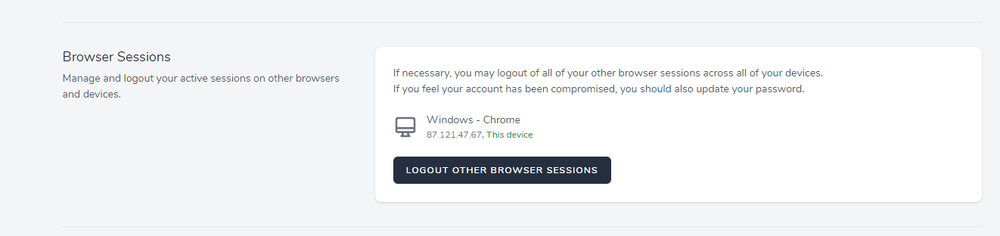
sessions.png

The profile Blade views can be found at:

profile-page.png

And the if you are using Inertia, you can find them at:

vue-profile.png

Jetstream API

Laravel Jetstream uses Laravel Sanctum to provide simple token-based API.

With Sanctum, each user can generate API tokens with specific permissions like Create, Read, Update, and Delete

Then to check the incoming requests, you can use the tokenCan method like this:

token.png

Again you can disable API support in your config/jetstream.php config file.

Jetstream Teams

If you used the –team flag during your Jetstream installation, your website would support team creation and management.

With the Jetstream teams feature, each user can create and belong to multiple different teams.

For more information about Jetstream teams, you can take a look a the official documentation here.

Conclusion

Laravel Jetstream gives you a great head start when starting a new project!

Are you looking for PHP Laravel Developers? Hire from us: https://infynno.com/hire-developer/

B

Bhavdip

Author · Infynno Solutions

Oct 14, 2020

Share

XLinkedIn

On this page

Laravel Jetstream

Building something like this?

Free discovery call. NDA before we go further.

Book a free call
B

Bhavdip

Author

Engineer at Infynno Solutions building AI, EdTech & enterprise software products.

More from the blog

All articles
Laracon India 2026: The Ultimate Guide for Laravel Developers and Founders
EventsJan 25, 2026

Laracon India 2026: The Ultimate Guide for Laravel Developers and Founders

Laracon India 2026 is not just another Laravel conference. It is becoming a turning point for the Laravel ecosystem in India and beyond.

Bhavdip
Effective Next.js Optimization Strategies to Improve App Performance
DevelopmentSep 5, 2024

Effective Next.js Optimization Strategies to Improve App Performance

When you’re working on a Next.js app, you’ve probably had those moments where you’re like, ‘Why is the app moving so slowly?’ Recently, I received a project where the performance of a Next.js app was not up to the mark. So, as a team, we discussed and identified some effective Next.js optimization strategies and use cases where the app needs the most improvement.

Bhavdip
Custom Software Solutions for Educational Platforms by Infynno
LMSAug 27, 2024

Custom Software Solutions for Educational Platforms by Infynno

In today’s world, technology is playing a huge role in education. Whether it’s UCAT preparation or other educational purposes, having the right tech platform makes a big difference. At Infynno Solutions, we focus on creating custom software solutions for educational platforms. We’re all about helping educational institutes, especially when it comes to building and scaling platforms that really work.

Bhavdip
Infynno

Infynno is an AI-native product engineering company helping businesses build, modernize, and scale software products through AI, automation, and experienced engineering teams.

Trusted worldwide

Google
Google
4.9
22 reviews
Clutch
Clutch
4.9
8+ reviews
Upwork
Upwork
Top Rated
8K+ Hours, 20+ Jobs
Glassdoor
Glassdoor
5
18 reviews

Trusted worldwide

Google
Google
4.9
22 reviews
Clutch
Clutch
4.9
8+ reviews
Upwork
Upwork
Top Rated
8K+ Hours, 20+ Jobs
Glassdoor
Glassdoor
5
18 reviews

Engineering Services

  • AI Strategy & Consulting
  • AI Integration
  • AI Automation & AI Agents
  • IT Consulting
  • Web Development
  • Product Development
  • AI Search Visibility (AEO + GEO)
  • Social Media and Branding

Edtech Industry Expertise

  • Learning Management Software
  • Exam Preparation Platform
  • Tutor Management Software
  • Medical Entrance Exam Platform
  • Scholarship Exam Platform
  • AI For Education
  • EdTech Mobile App Development

Company

  • About Infynno
  • Our Work
  • Client Success Stories
  • Life @ Infynno
  • Contact Us

Resources

  • Case Studies
  • Guides
  • Blogs
  • FAQs
  • Open Source & Community
  • Careers

Contact

  • Project Inquiry

    sales@infynno.com
  • HR & Careers

    hr@infynno.com
  • Phone

    +91-84888-38308

Office address

India

Ahmedabad, India

E-720 Ganesh Glory 11,

Nr. BSNL Office, Jagatpur Road,

Gota, S.G. Highway,

Ahmedabad - 382481, Gujarat

IST · UTC+5:30

Trusted worldwide

Google
Google
4.9
22 reviews
Clutch
Clutch
4.9
8+ reviews
Upwork
Upwork
Top Rated
8K+ Hours, 20+ Jobs
Glassdoor
Glassdoor
5
18 reviews
ISO 27001:2022 certified company

An ISO 27001:2022 Certified Company

  • LLP Identification Number - AAZ-7794

© 2026 Infynno Solutions LLP. All rights reserved.

Privacy PolicyTerms of UseCookie PolicySitemap
Infinite Innovations