Introduction
Two critical PHP vulnerabilities can allow remote code execution without authentication under certain conditions. Here's what website owners and development teams need to know.
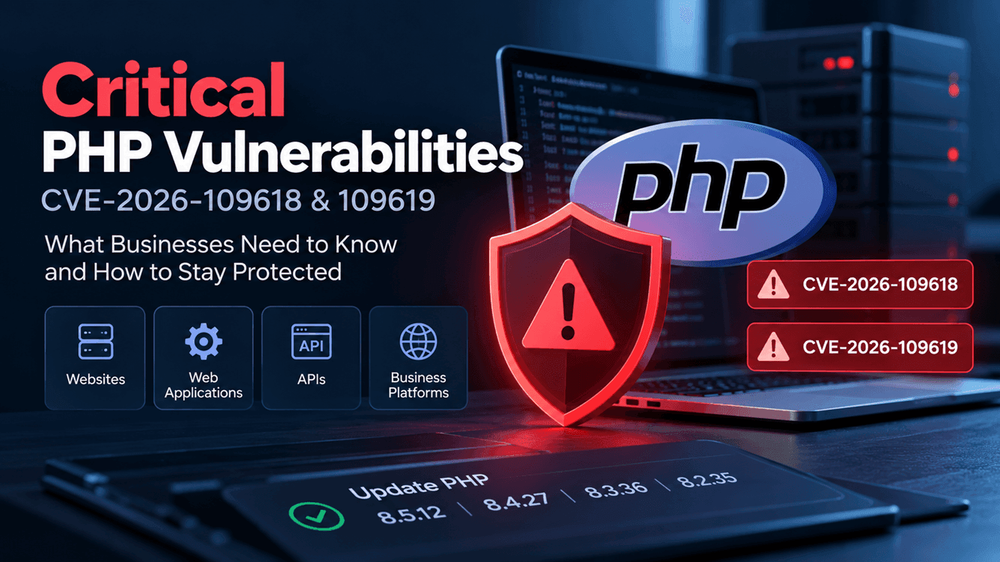
On October 21, 2026, the PHP team released security updates for two critical vulnerabilities, CVE-2026-109618 and CVE-2026-109619, both rated 9.2 on the CVSS v4.0 scale.
These vulnerabilities affect the PHP runtime used by websites, APIs, and business applications. Under certain conditions, an attacker could execute code on a vulnerable server without logging in.
The risk extends beyond WordPress. Any organization running an affected PHP environment should identify its exposure and apply the appropriate security fixes as soon as possible. New Zealand's National Cyber Security Centre has also reported awareness of potential active exploitation. Read the official PHP security advisory.
What Are the Two PHP Vulnerabilities?
The two vulnerabilities involve how PHP handles internal memory and request state.
- CVE-2026-109618: An out-of-memory condition can leave internal request data partially initialized, causing PHP to handle that data incorrectly during cleanup.
- CVE-2026-109619: Internal state can remain accessible after its memory has been freed, allowing a later operation to use stale data.
Depending on the PHP configuration and request-processing path, these flaws can create an opportunity for remote code execution. Successful exploitation could put application data and the affected server's resources at risk.
Both vulnerabilities are particularly concerning because authentication is not required for the documented attack paths. However, exploitability and impact can vary with the PHP deployment, configuration, and application behavior.
Which Websites and Applications Could Be Affected?
PHP is used across a wide range of web applications. The exposure is not limited to any one content management system or framework.
Potentially affected environments include:
- WordPress websites and custom plugins.
- Laravel applications and business portals.
- Drupal and Joomla websites.
- PHP-based eCommerce platforms.
- Custom web applications, APIs, and customer portals.
- Applications running PHP through PHP-FPM, Apache
mod_php,php-cgi, FrankenPHP, or LiteSpeed.
The PHP team identifies affected versions extending from older PHP releases through PHP 8.5.11. The exact remediation path depends on the version and the support provided by the relevant vendor.
Updating WordPress, plugins, or themes alone does not fix a vulnerability in the PHP runtime. The underlying PHP installation must also be addressed.
Which PHP Versions Include the Fixes?
The PHP project released the following fixed versions on October 21, 2026.
- PHP branch: PHP 8.5 and Fixed release 8.5.12
- PHP branch: PHP 8.4 and Fixed release 8.4.27
- PHP branch: PHP 8.3 and Fixed release 8.3.36
- PHP branch: PHP 8.2 and Fixed release 8.2.35
If you are running PHP 8.1 or an older version, do not assume that a normal upstream update will be available. These branches are no longer supported by the PHP project, although some distributions and long-term support vendors provide backported security fixes. Confirm your package's status with your vendor or plan an upgrade to a supported branch.
Official reference: PHP security advisory.
1. Identify every PHP environment
Check the PHP version serving your production website or application. Do not rely solely on the version installed on a developer's machine or shown by a command-line tool.
A server may run different PHP versions across websites, containers, PHP-FPM pools, or hosting accounts. Make sure each relevant environment is covered.
Want us to build this for you?
Infynno builds AI-powered software for EdTech, enterprise, and SaaS teams. Free discovery call · NDA first.
2. Apply the appropriate security fix
Upgrade to a fixed release or install the corresponding patched package provided by your operating system or hosting vendor.
For containerized applications, rebuild and redeploy images that contain the affected PHP runtime. For managed hosting, confirm whether the provider has applied the fix to the specific environment hosting your application.
3. Restart and verify
After updating, restart the relevant PHP workers and services or redeploy the application as required. Confirm that production traffic is being handled by the patched runtime.
Updating a package does not necessarily mean existing processes have started using it.
4. Review unsupported or difficult-to-update systems
If an application cannot be updated immediately, review the official advisory and vendor guidance for temporary risk-reduction measures. These are not substitutes for a complete fix.
If a vulnerable, internet-facing system cannot be protected promptly, consider isolating it from public access until remediation is possible.
5. Check for signs of compromise
Applying a patch prevents further exploitation through the fixed vulnerability, but it does not undo a compromise that may already have occurred.
For systems that were exposed while vulnerable, review relevant server and application logs, unexpected processes, modified files, unfamiliar accounts, and unusual outbound connections. Escalate suspicious activity for a proper incident investigation.
For additional technical guidance, consult the Canadian Centre for Cyber Security advisory.
Security Is More Than Keeping Your Website Updated
Web applications depend on several layers: application code, frameworks, third-party packages, runtime environments, server configuration, and cloud infrastructure. A vulnerability in one layer can expose the wider application even when the other layers are maintained properly.
That is why security maintenance should include runtime updates, dependency management, supported software versions, environment monitoring, and a defined patching process.
For businesses running customer portals, eCommerce systems, SaaS products, or other critical applications, these activities are part of maintaining a reliable product - not simply an occasional technical task.
At Infynno, we build and maintain custom web applications and business platforms. Our approach considers the technology stack, security, maintainability, and the operational needs of the business.
Not sure which PHP version is running your website? Start by checking with your hosting provider or development team. If your application uses an affected runtime, prioritize verifying the fix and deploying it safely.
This article provides general security information and is not a substitute for the official PHP advisory or environment-specific security guidance.