Introduction
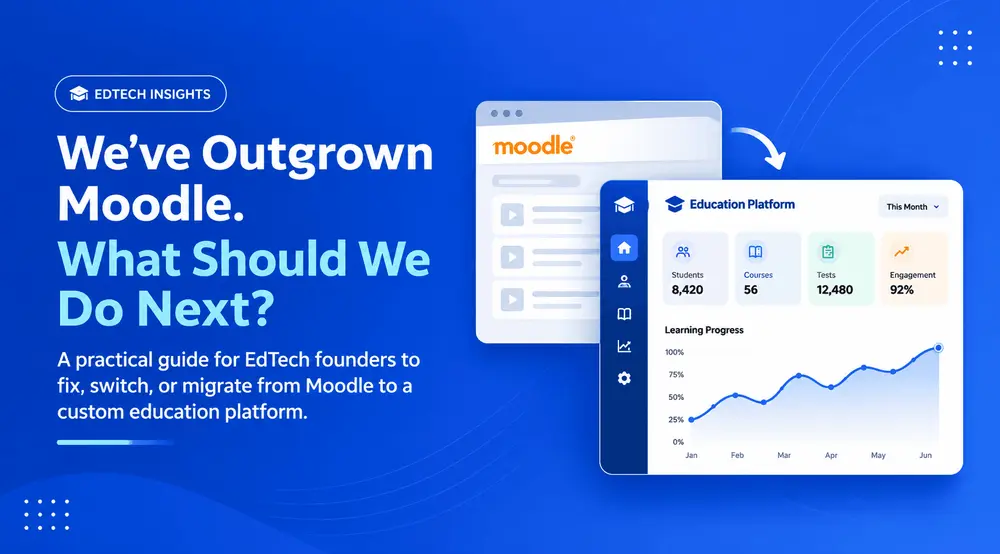
A practical guide for EdTech founders deciding whether to fix Moodle, switch LMS platforms, or build a custom solution.
Moodle works well for many education businesses. But as your business grows, your requirements change. Performance issues, plugin dependencies, limited customization, rising development costs, and an outdated student experience can make your LMS harder to manage.
So, should you keep investing in Moodle, switch to another LMS, or build a custom platform?
We've worked on a full Moodle-to-custom-platform migration involving these challenges. Here's what EdTech founders should consider before making that decision.
1. When Moodle starts becoming a business bottleneck
A few signs suggest your current LMS may no longer fit your needs:
- Performance issues: Students experience slow pages or unreliable workflows, particularly during busy periods. Moodle provides its own performance recommendations for identifying and addressing infrastructure and configuration bottlenecks.
- Difficult customizations: New features require complicated workarounds or changes across multiple components.
- Plugin dependencies: Compatibility and maintenance become harder as plugins and custom code accumulate.
- Outdated user experience: Your student journey no longer matches the product you want to deliver.
- Rising development costs: Maintaining and extending the platform requires increasing specialist effort.
- Limited availability of skilled developers: Finding experienced Moodle developers can be challenging, while hiring and retaining the right expertise often comes at a premium, making ongoing development and maintenance expensive.
These issues don't automatically mean Moodle is the problem. Hosting, configuration, plugins, and custom code can all contribute. Start by identifying the actual bottlenecks.
2. You have four options. Rebuilding isn't the only one.
Before committing to a new platform, consider these four approaches.
- Option 1: Optimize your existing Moodle platform
Review hosting, caching, database performance, plugins, and custom code.
Best when: Your existing platform meets most business requirements and needs technical improvements.
- Option 2: Hire experienced Moodle developers
A specialist team can improve existing functionality, resolve technical issues, and build additional features.
Best when: You want to continue with Moodle but need stronger development expertise.
- Option 3: Move to another SaaS LMS
A hosted LMS can reduce infrastructure and maintenance responsibilities, but check customization limits, pricing, integrations, and data ownership.
Best when: Your requirements fit standard LMS functionality without extensive customization.
- Option 4: Build a custom LMS
A custom platform gives you more control over architecture, user experience, assessments, integrations, and the product roadmap. It also means taking responsibility for development and ongoing maintenance.
Best when: Your product requirements have moved significantly beyond what an existing LMS can support efficiently.
3. How do you decide which option is right?
Use your actual business challenges to guide the decision.
| Your situation | Direction to consider |
|---|---|
| Performance problems, but Moodle meets your needs | Optimize Moodle |
| Plugin or custom-code maintenance issues | Review the existing architecture |
| A few additional features needed | Extend Moodle |
| Standard LMS requirements | Evaluate SaaS alternatives |
| Different workflows, assessments, or student experience | Consider custom development |
| Limitations across the entire platform | Evaluate full or phased migration |
A custom LMS isn't automatically better than Moodle. The right decision depends on your requirements, long-term costs, and product roadmap.
4. The biggest concern: What happens to your existing data?
An established education platform may contain years of valuable student and business data.
Before migrating, identify what needs to move:
- Student accounts: Profiles, roles, and permissions.
- Courses: Categories, modules, and learning materials.
- Question banks: Questions, answers, explanations, and categories.
- Assessment history: Attempts, scores, and results.
- Enrollments: Student-course relationships and access records.
- Learning progress: Completion and progress information.
- Files and media: Documents, images, and videos.
- Subscriptions: Relevant subscription records and payment-system integrations.
Some information can be exported relatively easily. Other data, particularly custom plugin data and assessment relationships, may need additional transformation. Moodle supports course backups that can include selected course activities, user information, files, completion details, and grade history, depending on the backup settings. You can review its course backup and course restoration documentation.
A successful migration means preserving usable data and relationships - not just copying database records.
5. Don't migrate data without understanding the workflows
Your Moodle platform may support processes that students, tutors, and administrators depend on every day. Document the important workflows before rebuilding them.
| User | Important workflows |
|---|---|
| Students | Access courses, continue lessons, attempt assessments, view results |
| Tutors | Manage students, update content, review performance, provide feedback |
| Administrators | Manage users, courses, permissions, subscriptions, and reports |
You don't need to reproduce every old screen. Migration is an opportunity to simplify outdated processes, but understand what each workflow does before changing it.
6. How to plan a full Moodle-to-custom migration
A structured migration helps protect your data and business operations.
- Step 1: Audit the existing Moodle platform
Review the Moodle version, infrastructure, plugins, custom code, integrations, data, and user workflows.
- Step 2: Define the new platform
Identify the features, architecture, user journeys, integrations, and data structures your business needs.
- Step 3: Plan data migration
Map users, courses, question banks, assessments, enrollments, and historical records to the new data model.
- Step 4: Build and test
Develop the required modules and test critical workflows, including authentication, assessments, payments, integrations, performance, and security.
- Step 5: Validate migrated data
Check record counts, relationships, student accounts, course content, and assessment history.
- Step 6: Plan the transition
Choose a suitable cutover approach. Depending on the project, this may involve a pilot, temporary parallel access, final data synchronization, and a rollback plan.
- Step 7: Monitor after launch
Track performance, errors, user feedback, and support requests. Address issues as students and administrators begin using the new platform.
7. Does AI make custom LMS development more affordable now?
AI coding assistants can speed up selected development tasks, including code generation, interface implementation, test creation, and understanding existing code.
But they don't eliminate the difficult parts of a migration. Architecture, business rules, data integrity, security, integrations, and testing still require experienced engineers.
The opportunity is to improve development efficiency with AI - not to replace engineering expertise.
Want us to build this for you?
Infynno builds AI-powered software for EdTech, enterprise, and SaaS teams. Free discovery call · NDA first.
8. What should you look for in a Moodle migration partner?
A migration partner should understand both your existing LMS and the education product you're building.
Look for experience in:
- Moodle architecture: Plugins, customizations, and dependencies.
- Education platforms: Courses, assessments, question banks, and student workflows.
- Data migration: Data mapping, transformation, and validation.
- Product development: Building around actual business requirements.
- Business continuity: Planning transitions with minimal disruption.
- Ongoing support: Maintenance, infrastructure, and future improvements.
A good partner should also be willing to recommend optimizing Moodle when a rebuild isn't necessary.
9. What should you do if your business has outgrown Moodle?
Start with an assessment of your current platform. Understand its performance, architecture, plugins, custom features, data, and workflows. Then compare the long-term implications of optimizing Moodle, switching LMS platforms, or building a custom solution.
At Infynno, we've worked on a full Moodle-to-custom-platform migration involving performance, user experience, custom functionality, plugins, data, personalization, development costs, and maintenance considerations.
We also build custom education and exam preparation platforms for businesses with specialized learning and assessment requirements.
Considering a move beyond Moodle?
Let's discuss your current challenges and identify whether optimization, modernization, or custom LMS development makes sense for your business.
Explore our exam preparation platform development capabilities.
Can I migrate from Moodle to a custom LMS?
Yes. You can replace Moodle with a custom platform, provided the required functionality, data, integrations, and workflows are properly assessed and planned.
Can I migrate Moodle student data and course content?
Yes, where the data is accessible and the new platform supports the required structures. Question banks, assessment history, and custom plugin data may need additional mapping.
Will students lose their learning history?
A migration plan should identify which historical records must be preserved and validate them in the new platform. The result depends on the source data and migration design.
Should I optimize Moodle or build a custom LMS?
Optimize Moodle when the core platform still meets your needs. Consider custom development when your workflows, assessments, or product requirements have moved significantly beyond its current setup.
Is a custom LMS more expensive than Moodle?
Custom development involves an upfront investment and ongoing maintenance. Moodle also has hosting, plugin, specialist development, and maintenance costs. Compare total cost of ownership rather than software cost alone.
How long does Moodle-to-custom-LMS migration take?
It depends on the existing setup, data volume, integrations, custom features, and replacement platform scope. A technical assessment is needed for a reliable estimate.
Can I migrate gradually instead of replacing Moodle all at once?
In some cases, yes. A phased migration or temporary coexistence may be possible, provided data synchronization, user access, and active learning workflows are carefully managed.